
MODULE 01LIVE
WELLBORE DIAGRAMS
Build, customize and print the diagram of record for any onshore or offshore well, vertical or horizontal, with the data record printed alongside it.
Available now on every plan
Wellbore diagrams that take minutes and are fully customizable, all while creating a visual representation of your well that is superior to the rest.
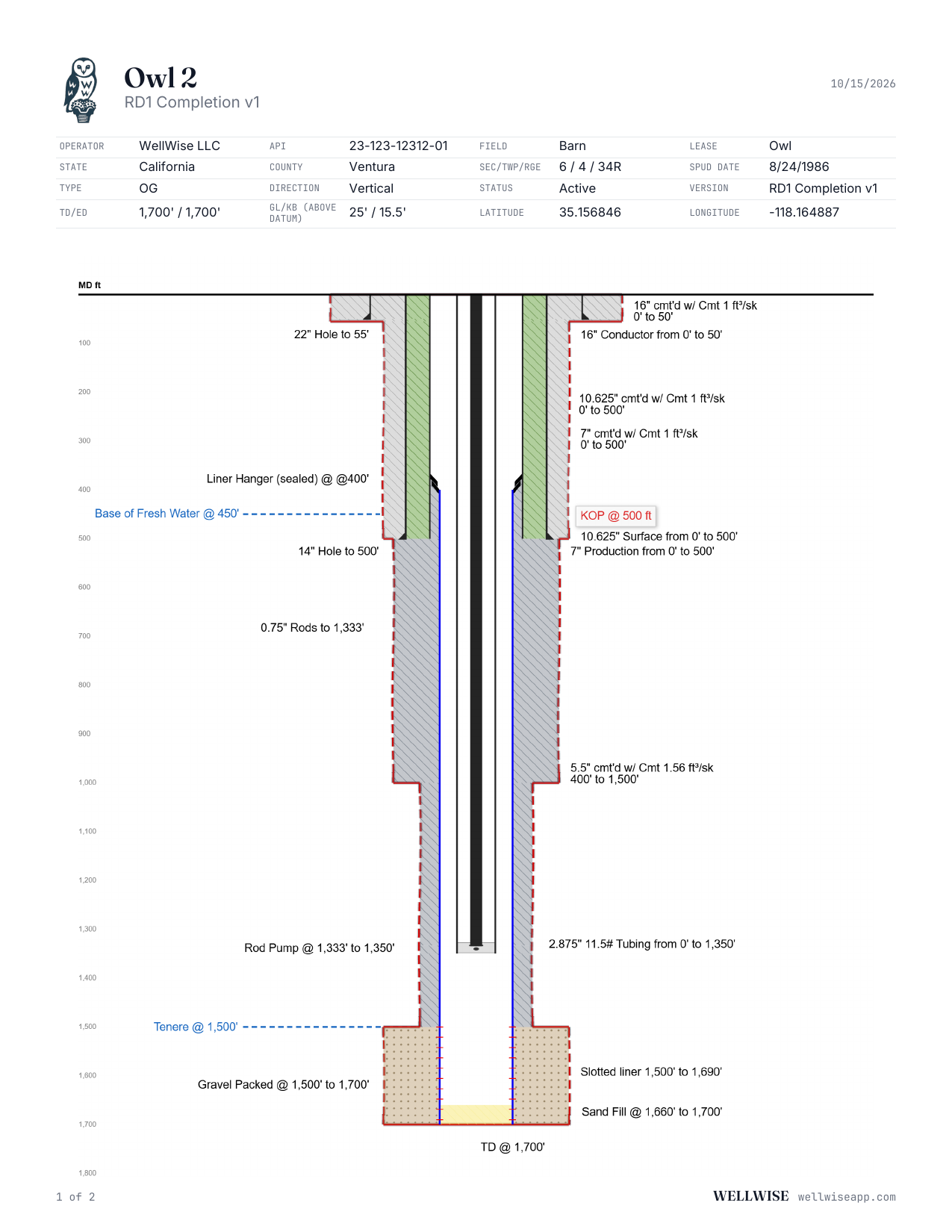
“It took me two hours to draw one well.”
WellWise is intuitively designed to place casing, cement, and all wellbore features in the most efficient way possible, mimicking how you think through the wellbore construction.
“Three folders, three versions, and nobody is sure which is current.”
Every wellbore lives under one parent well with a version history, so production, drilling and abandonment all point at the same record.
“I still look up casing tables and do cement volumes by hand.”
API casing properties are built in. Give it the annulus and the interval and the volume is calculated for you.
“Our diagrams are stuck in another system, and nobody has time to redraw them.”
Your existing diagram data comes in with you. Team and Enterprise include migration and onboarding, so nobody redraws wells on their own time.
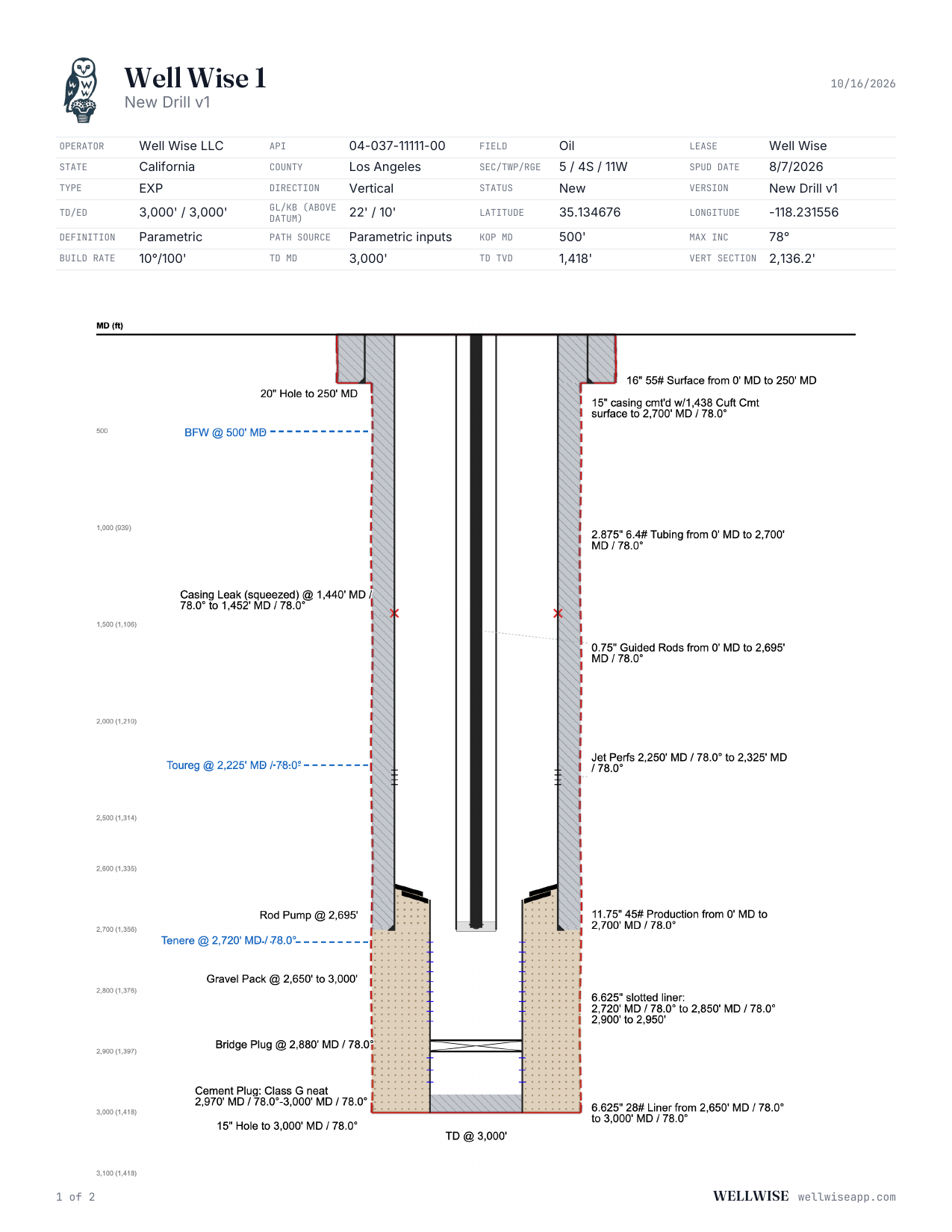
Place casing, cement, perforations, plugs and tools right on the depth scale. Set your defaults once and every well after that starts half done.
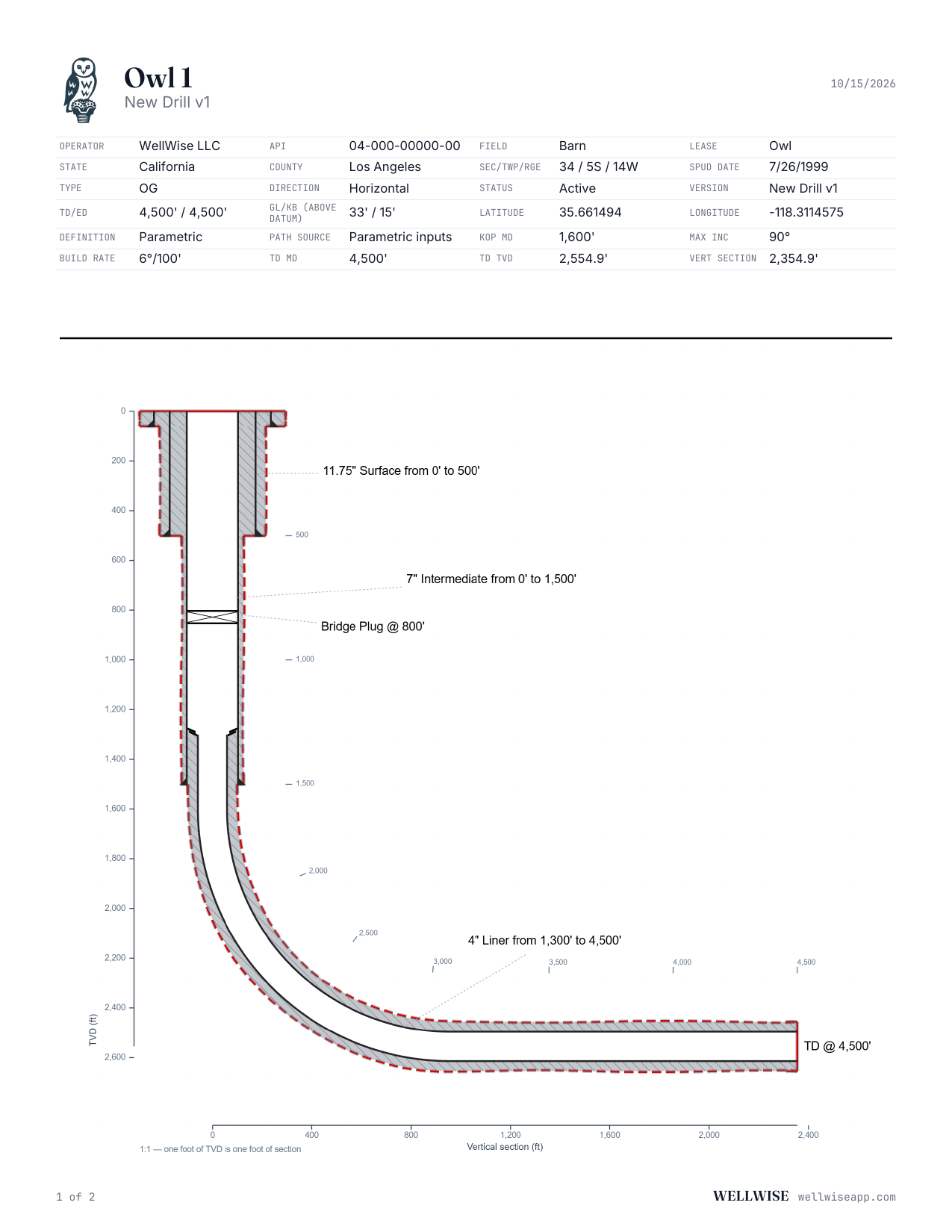
Most tools flatten a lateral into a vertical stick and leave you to explain it. WellWise follows the trajectory, so the picture shows the true direction of the well and where every feature sits along it.
Header data, casing properties, volumes and comment formats are the parts of a diagram nobody enjoys. WellWise fills them in.
If applicable with the regulatory agency, operator, API, field, lease, location and spud date pull from state databases into the header before you start drawing.
Weight and ID for standard casing sizes are in the system. No searching for property tables.
Cement, mud and fill volumes computed from the annular space and interval you enter. Barrels, cubic feet and sacks, done.
Original hole, redrills and sidetracks are all classified under a single well name. Search once, find everything.
Define how a cement squeeze or a perforation interval reads once. Every attribute after that is labeled the same way.
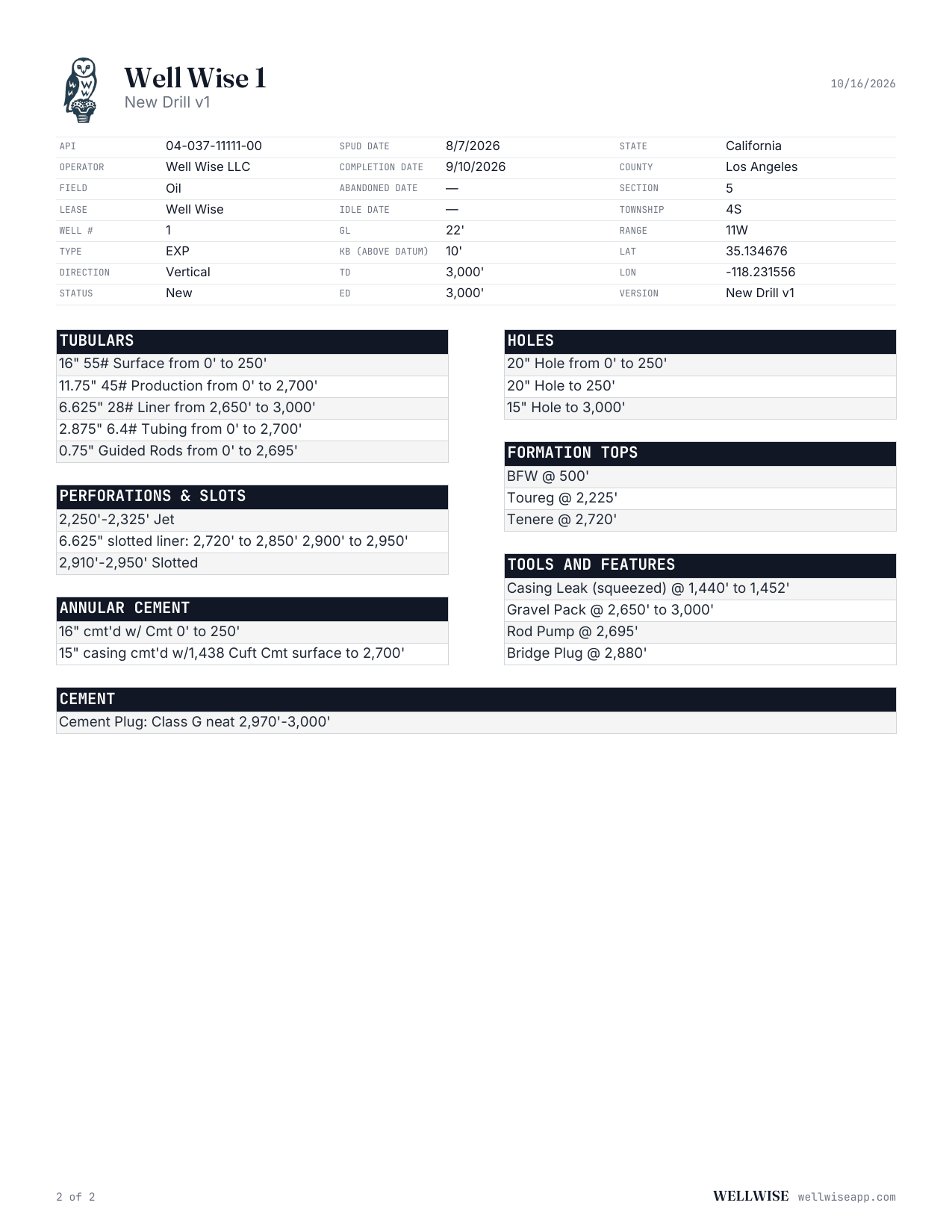
Two pages, every time: the diagram and the full data record. PDF or PNG, with your logo on every export on Team and Enterprise plans.
One well, start to finish, at two and a half times speed. Header entered, strings placed, cement and perforations added, plugs and tools set, printed.
Try it on your own wellWhen the Well Event Manager ships, the diagram stops being a file someone remembers to update. The work done on the well drives the picture of the well.
Many more features are on the horizon.
WellWise is more than a diagramming tool. The Digital Field Ticket & Invoice System, now in beta testing, and the Well Event Manager, now in development, are built for seamless integration, ensuring the work performed, money spent, and the picture of the wellbore all agree.
Build, customize and print the diagram of record for any onshore or offshore well, vertical or horizontal, with the data record printed alongside it.
Field tickets and invoices submitted digitally, approved by the on-site company rep and internal AP, tied to the well record, all tracked and spend presented to you as it happens.
Every new drill, workover, and abandonment managed in one place. Full event management means all the information is tracked. Integration with the wellbore diagramming module means diagrams are automatically updated as well events are documented, making a "Source of Truth" for each well diagram.
All paid plans include cloud-based diagramming, fully customizable diagrams, and unlimited views by anyone who needs to see it – No need to save and print unfinished diagrams to your computer.
Start a 14-day free trial, no card required → Standard and Team are billed from the start.
For students, educators, and regulators. "Powered by WellWise" watermark on exports.
Independent consultants, small engineering firms, training organizations.
Mid-sized companies and drilling / completion teams.
Large operators, engineering and global service firms, advanced regulators.
Our file import system allows you to upload your various wellbore diagram file types for recreation in the WellWise system. Bring us a data file and we'll import it into the WellWise platform in moments.
WITSML / XML import: Coming soon.